
Download DiskSavvy – disk space analyzer, hard drive scanner, file management tool, space hog finder, disk cleanup utility, selective folder scanning
Overview
DiskSavvy is a targeted utility designed for users seeking efficient and precise control over their hard drive storage. The application specializes in selective folder analysis, enabling users to scan specific directories rather than entire drives, which streamlines the process and reduces unnecessary resource consumption. By focusing on high-priority areas, DiskSavvy helps identify space-hogging files and subfolders, offering a practical solution for disk space optimization. This functionality is especially beneficial for individuals managing large volumes of digital content, such as photographers, developers, or office professionals who frequently deal with file accumulation.
The app serves as a reliable tool within the productivity ecosystem, addressing a common pain point: inefficient disk usage due to unmanaged or forgotten files. Its ability to generate detailed reports on file and folder sizes allows users to make informed decisions about what to retain, archive, or delete. While the developer did not provide additional technical details about the software’s background or development history, its core purpose remains clear—enhancing file management through precision and clarity. Real-world use cases include preparing for system upgrades, freeing up space before installing new software, or auditing data storage practices in a professional environment.
Key Features & Functionality
- Selective Folder Analysis: Users can choose specific folders for scanning, allowing for focused disk audits without the overhead of full-drive analysis. This feature is ideal for targeting known storage hotspots like Downloads, Documents, or project folders.
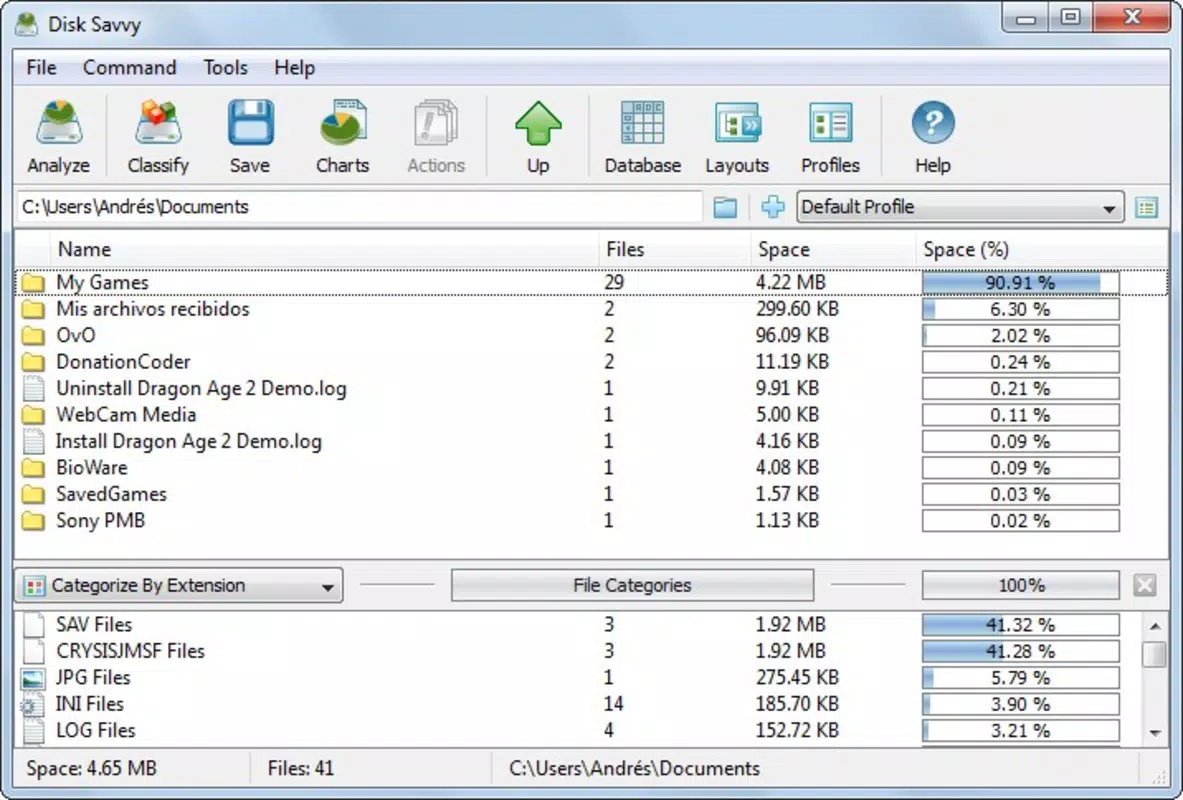
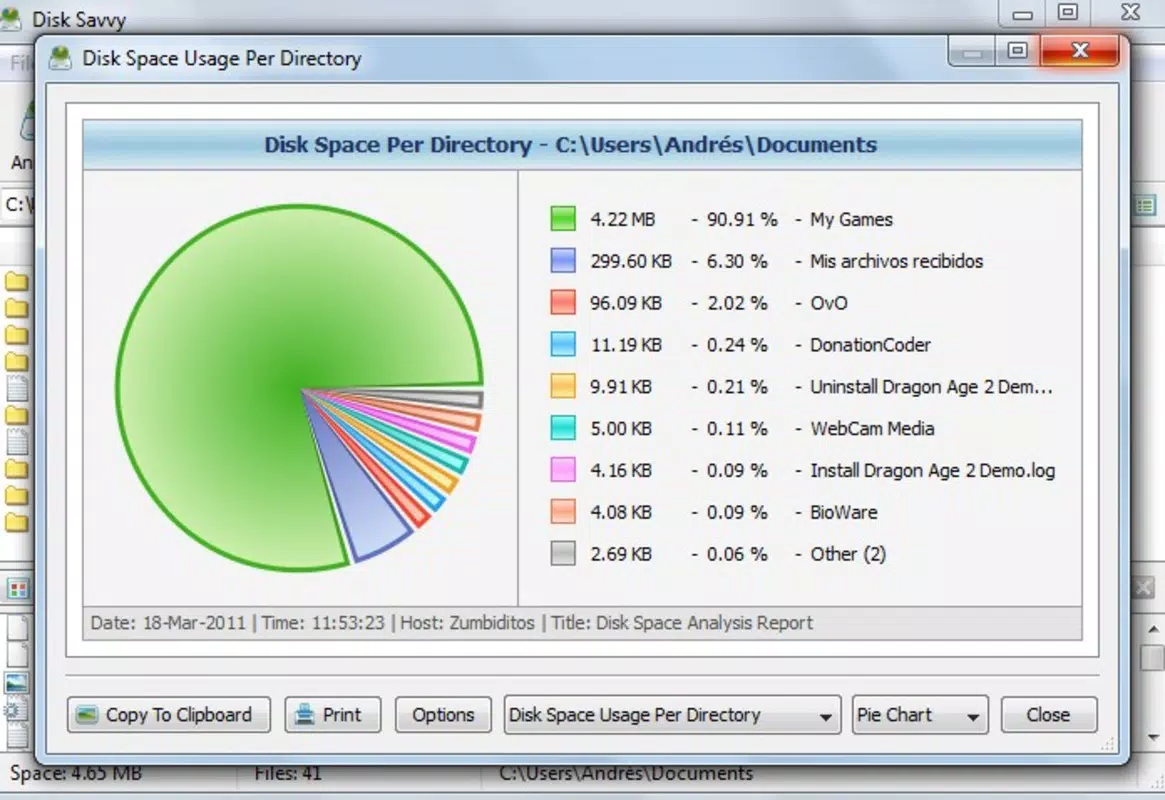
- Detailed Reporting: After scanning, DiskSavvy generates a comprehensive breakdown of file and folder sizes, displaying hierarchical data that makes it easy to trace space consumption down to individual subdirectories.
- Space Management Tools: The app highlights folders that occupy excessive disk space, enabling users to quickly identify and remove redundant or obsolete files, thus improving system performance and freeing up valuable storage.
- User-Friendly Interface: Designed with usability in mind, the interface presents scan results in a clean, organized layout that supports intuitive navigation, even for non-technical users.
- Time-Saving Efficiency: By automating the process of identifying space-wasting files, DiskSavvy reduces the manual effort required for disk cleanup, making it a valuable tool for regular maintenance tasks.
For example, a user preparing to install a large software suite can use DiskSavvy to scan their C: drive and pinpoint oversized temporary files or outdated backups. Similarly, a content creator managing terabytes of media can use the tool to audit project folders and eliminate duplicates or expired assets. The application’s modular approach ensures that users can tailor their scans to specific needs, enhancing both accuracy and speed.
Interface, UX & Performance
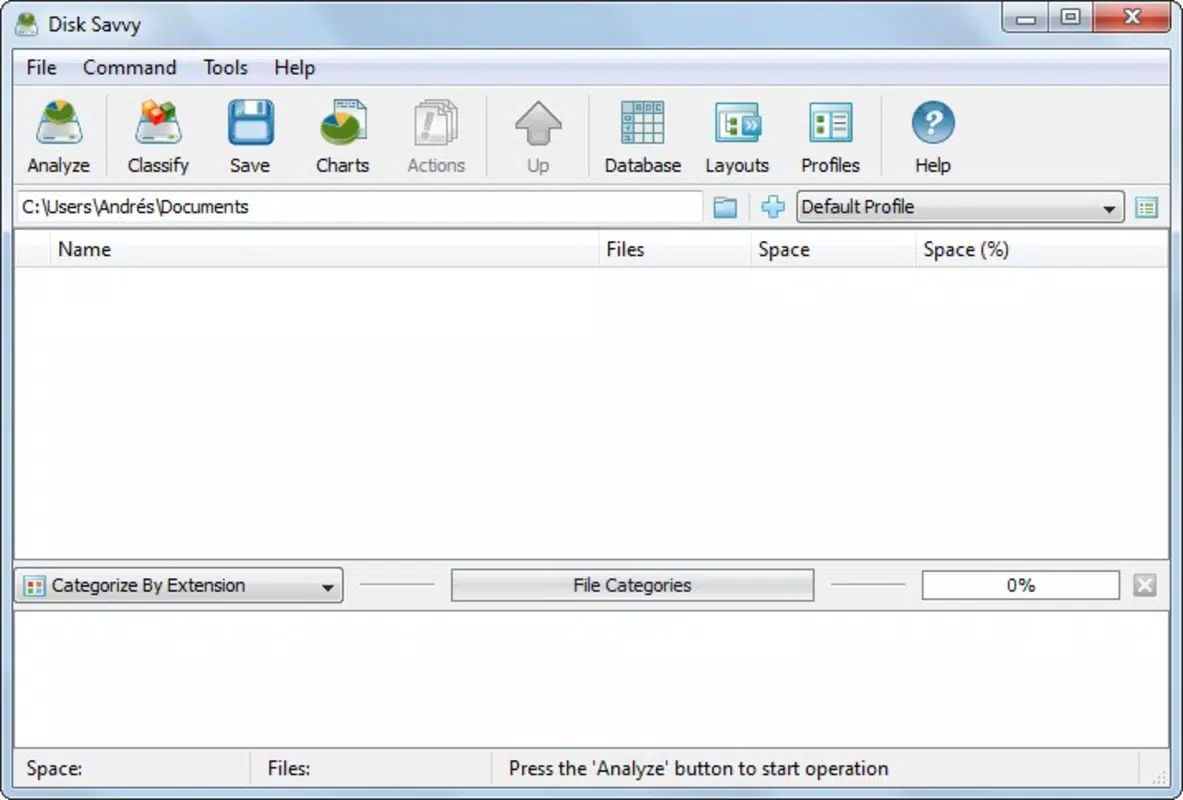
DiskSavvy features a clean, minimalist interface that prioritizes functionality over visual flair. The layout is structured to guide users through the scanning process with clear navigation and logical sectioning. Key actions such as selecting folders, initiating scans, and viewing results are accessible via intuitive controls, minimizing the learning curve for new users. The application maintains a consistent visual style, with organized panels and color-coded indicators that help distinguish between file types and size categories.
Although the developer did not list formal performance metrics, the app’s lightweight design—only 2.4 MB in size—suggests efficient resource usage. It is expected to operate smoothly on a range of Windows systems, including older or low-spec machines, without causing noticeable lag during scans. Responsiveness appears to be strong, with quick load times and immediate feedback after folder selection. Stability is likely maintained through the app’s focused scope, avoiding the complexity that often leads to crashes in broader file management tools.
Platform Compatibility & Technical Requirements
DiskSavvy is designed exclusively for the Windows platform and is compatible with current and recent versions of the operating system. The application requires no additional software or runtime dependencies, making installation straightforward. Its file size of 2.4 MB indicates a compact footprint, suitable for both modern and legacy systems.
The developer did not specify minimum OS requirements or hardware constraints. However, given its lightweight nature and targeted functionality, it is likely to run efficiently on systems with basic specifications. Compatibility with different Windows editions (e.g., Home, Pro, Enterprise) was not disclosed, but the absence of such limitations suggests broad accessibility across standard Windows environments.
Pros and Cons
Pros
- Lightweight design with minimal system resource usage
- Enables precise, selective folder scanning for targeted analysis
- Delivers clear, detailed reports on disk usage and file sizes
- Intuitive interface suitable for users of all technical levels
- Helps users identify and remove space-consuming files efficiently
Cons
- Available only for Windows, with no support for macOS or Linux
- Price point of $19.95 may be considered high for a single-purpose tool
- No built-in deletion feature—users must manually remove files after identification
- Developer did not provide information on update frequency or future development plans
- Compatibility details for older Windows versions were not listed
FAQ
Is DiskSavvy safe to use on my system?
DiskSavvy is a standalone utility that performs read-only scans on selected folders. It does not modify or delete files unless explicitly instructed by the user. The application does not require administrator privileges for basic scanning, reducing the risk of unintended system changes.
Can I scan multiple folders at once?
Yes, DiskSavvy allows users to select multiple folders for simultaneous scanning. This feature enables comprehensive audits across different directories without requiring repeated launches of the application.
Does DiskSavvy support external drives and network locations?
While the developer did not specify, the application’s design suggests it can scan external drives and mapped network folders, provided they are accessible through the Windows file system.
Is there a free version or trial available?
The provided information does not mention a free version or trial. The app is listed at a one-time purchase price of $19.95, suggesting it is not available as a freemium or open-source alternative.
How often should I use DiskSavvy for optimal disk management?
Users can run DiskSavvy as needed—such as monthly for routine maintenance or before major system changes. The frequency depends on individual storage habits and data volume.
Final Thoughts
DiskSavvy stands out as a focused, efficient solution for users who need precise control over their disk space. Its ability to analyze specific folders and deliver actionable insights makes it a powerful tool in the digital organization toolkit. While it lacks cross-platform availability and a built-in cleanup function, its strengths in usability, accuracy, and performance justify its value for those managing complex file systems on Windows.
Whether you're a professional managing large datasets or a home user aiming to reclaim lost space, DiskSavvy offers a streamlined, reliable approach to disk management. Its clear interface and targeted functionality ensure that even non-technical users can achieve meaningful results.
Download DiskSavvy now


